

Accessibility
Accessibility Toolkit
Make any page easier to see, read and hear: colour vision correction, text size, contrast, read aloud and a free colour vision eye test - private in your browser.
- Version
- 2026.10
- Updated
- Runs as
- In your browser
- Price
- Free
Try it live
Set up LasMind the way you see, read and listen
Turn on Accessibility mode, then pick what helps. Colours, text size, contrast and read aloud change on this page as you go.
- Every change applies to this whole site straight away.
- Same settings as the Accessibility button at the top of every page.
- Saved on this device only. No account, nothing uploaded.
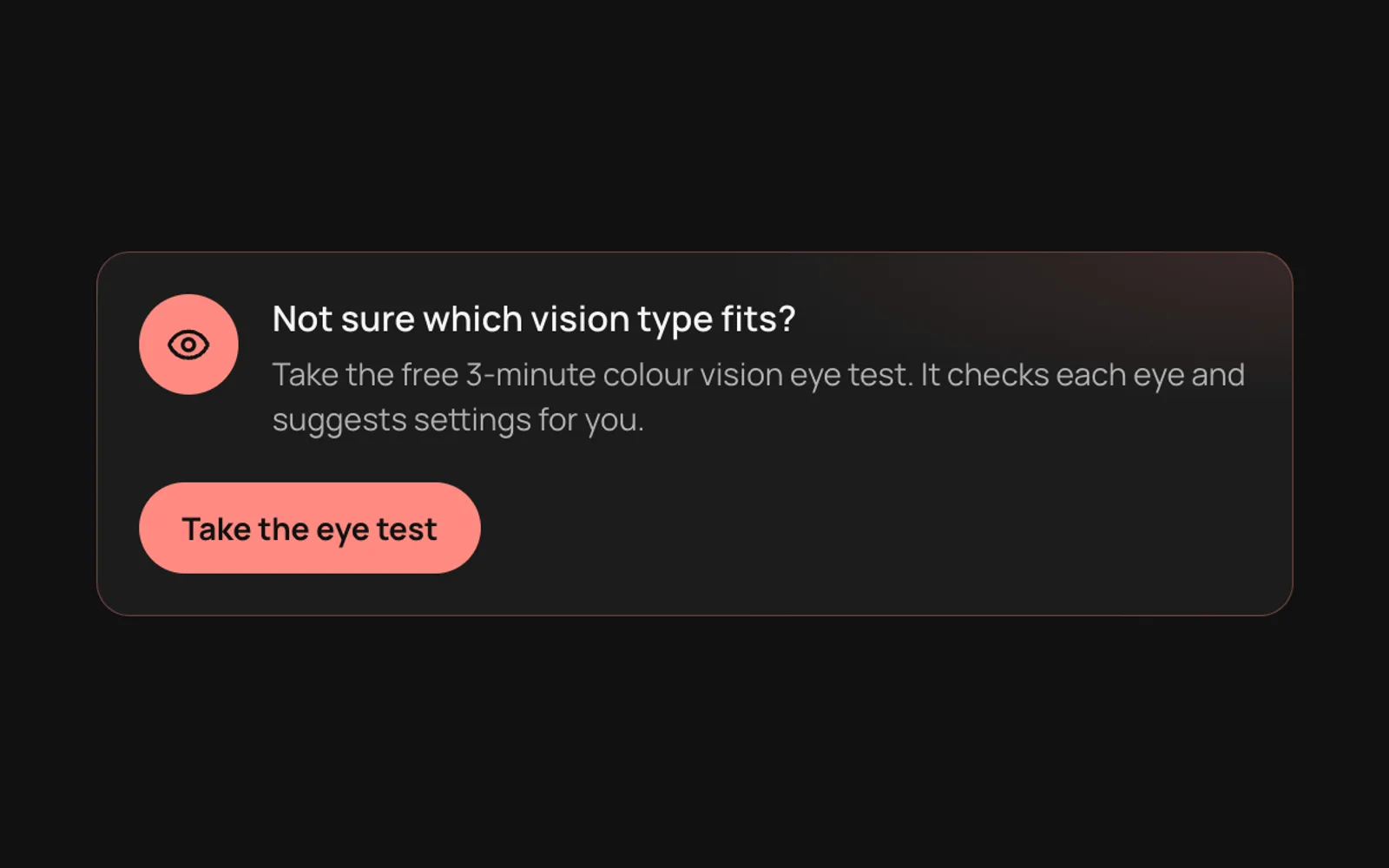
Not sure which vision type fits?
Take the free 3-minute colour vision eye test. It checks each eye and suggests settings for you.
Accessibility
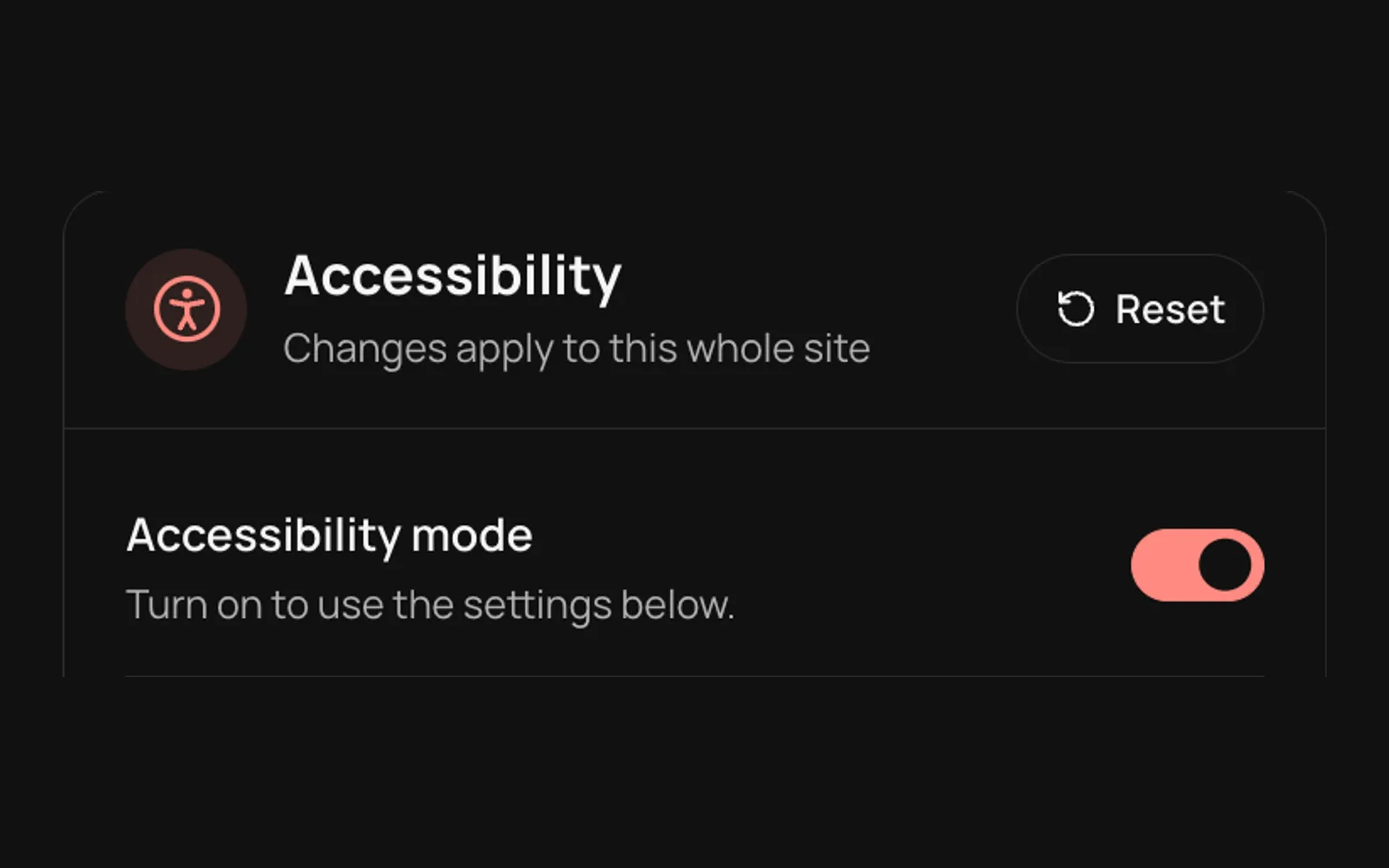
Changes apply to this whole site
Turn on to use the settings below.
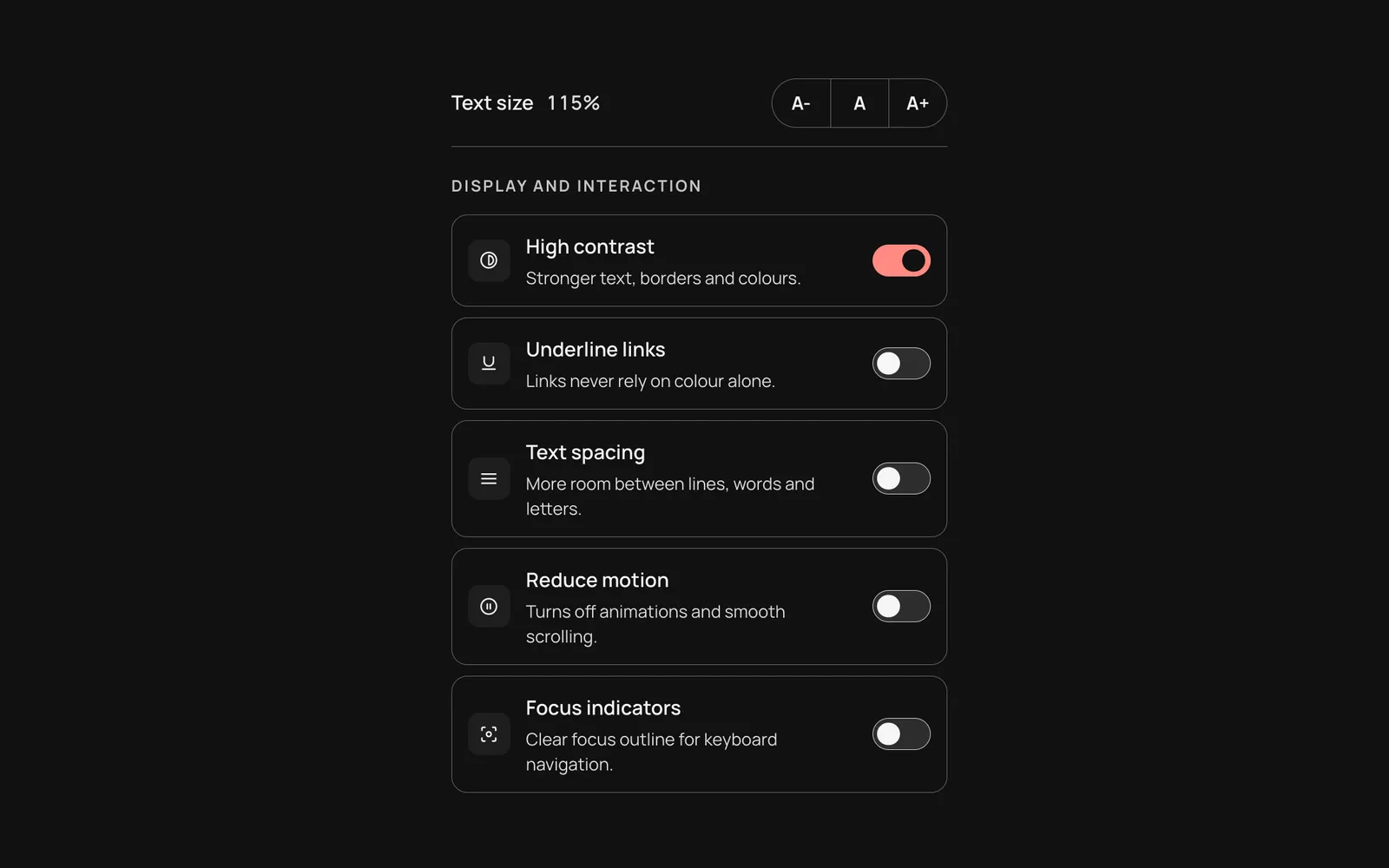
Text size 100%
Display and interaction
Stronger text, borders and colours.
Links never rely on colour alone.
More room between lines, words and letters.
Turns off animations and smooth scrolling.
Clear focus outline for keyboard navigation.
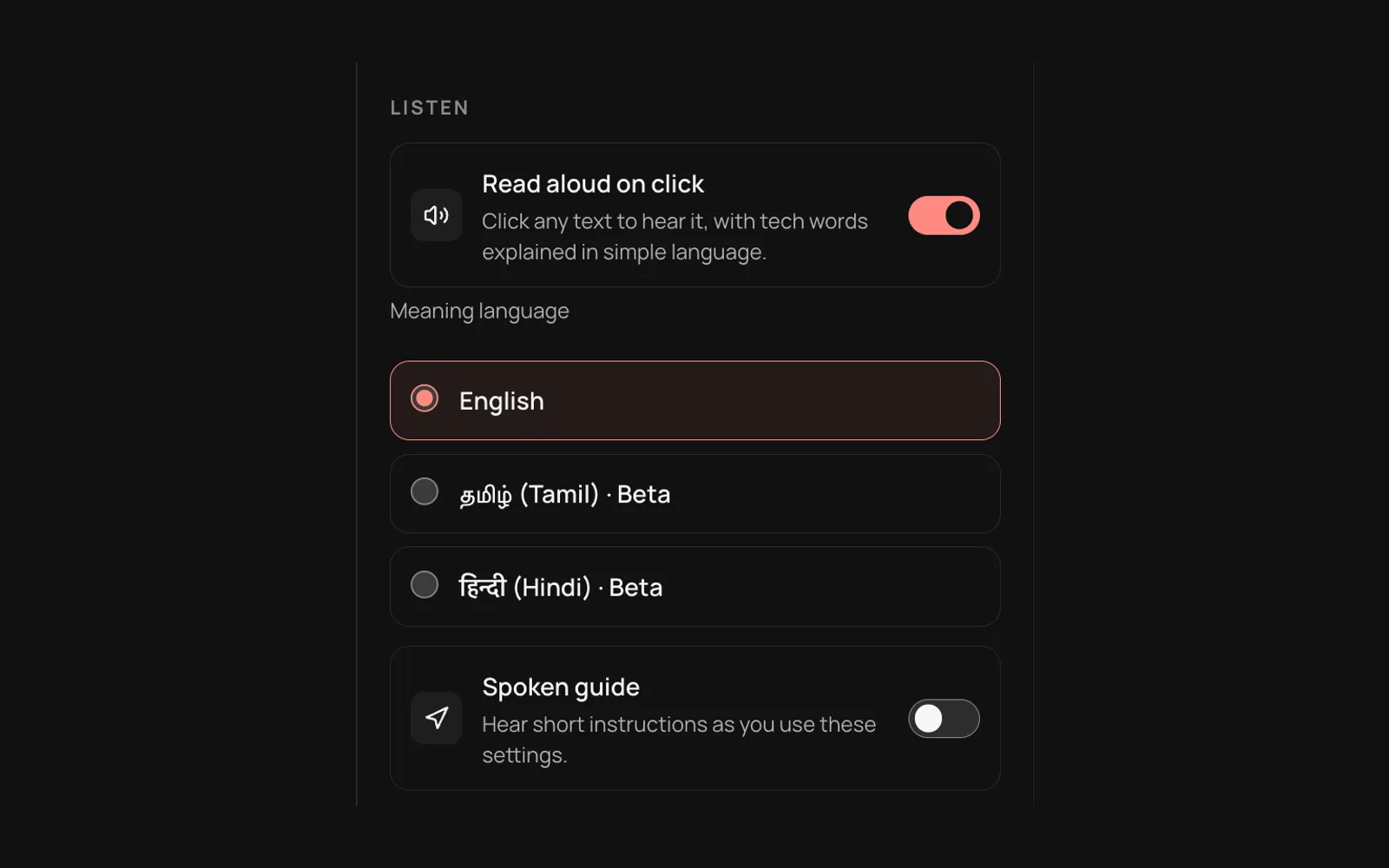
Listen
Click any text to hear it, with tech words explained in simple language.
LasMind Vision
Everything in the toolkit
Ten settings that help with colour blindness, low vision, reading, motion sensitivity and keyboard use.
Colour vision correction
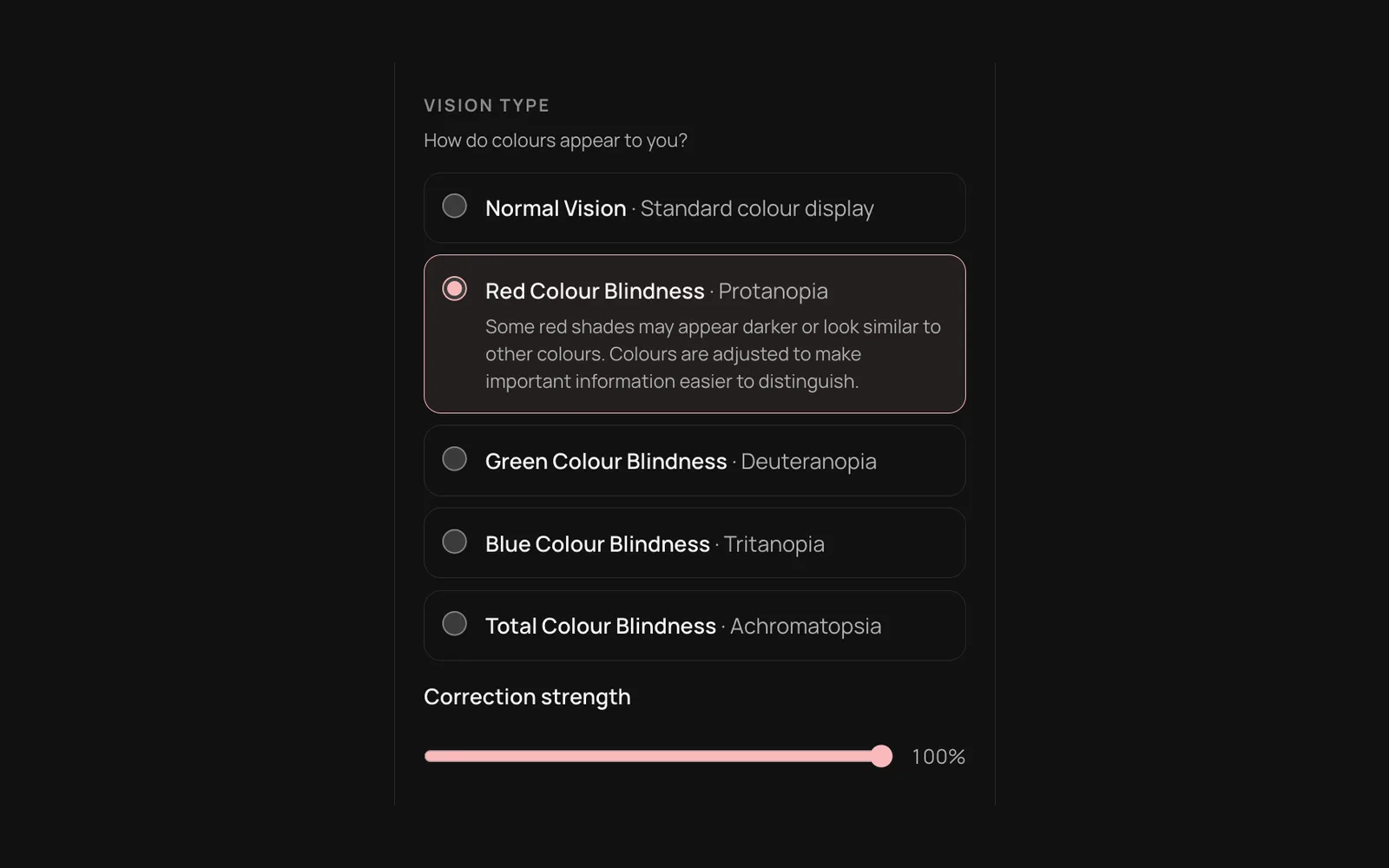
Red, green and blue colour blindness, plus greyscale, with a strength slider so reds and greens are easier to tell apart.
Text size
Five steps from 90% to 150%, with A- and A+ and a one-tap reset.
High contrast
Stronger text, borders and colours for low vision and bright rooms.
Underline links
Links never rely on colour alone.
Text spacing
More room between lines, words and letters, for easier reading.
Reduce motion
Turns off animations and smooth scrolling.
Focus indicators
A clear outline shows where you are when using the keyboard.
Read aloud
Click any text to hear it, with tech words explained in simple English, Hindi (beta) or Tamil (beta).
Spoken guide
Short spoken instructions as you change settings.
Colour vision eye test
A 3-minute screening, one eye at a time, that suggests and applies your settings.
Three ways to use it
The same settings and wording everywhere, so you only learn them once.
On LasMind
Open the Accessibility button at the top of any LasMind page. Your settings follow you across the site.

LasMind Vision for Chrome Coming soon
The browser extension brings the same settings and eye test to every website, and syncs with LasMind. It is coming soon to the Chrome Web Store.
Take the eye test nowOn your own website
Add the same menu to any site with the free
See the code@lasmind/website-accessibilitypackage. No framework needed.
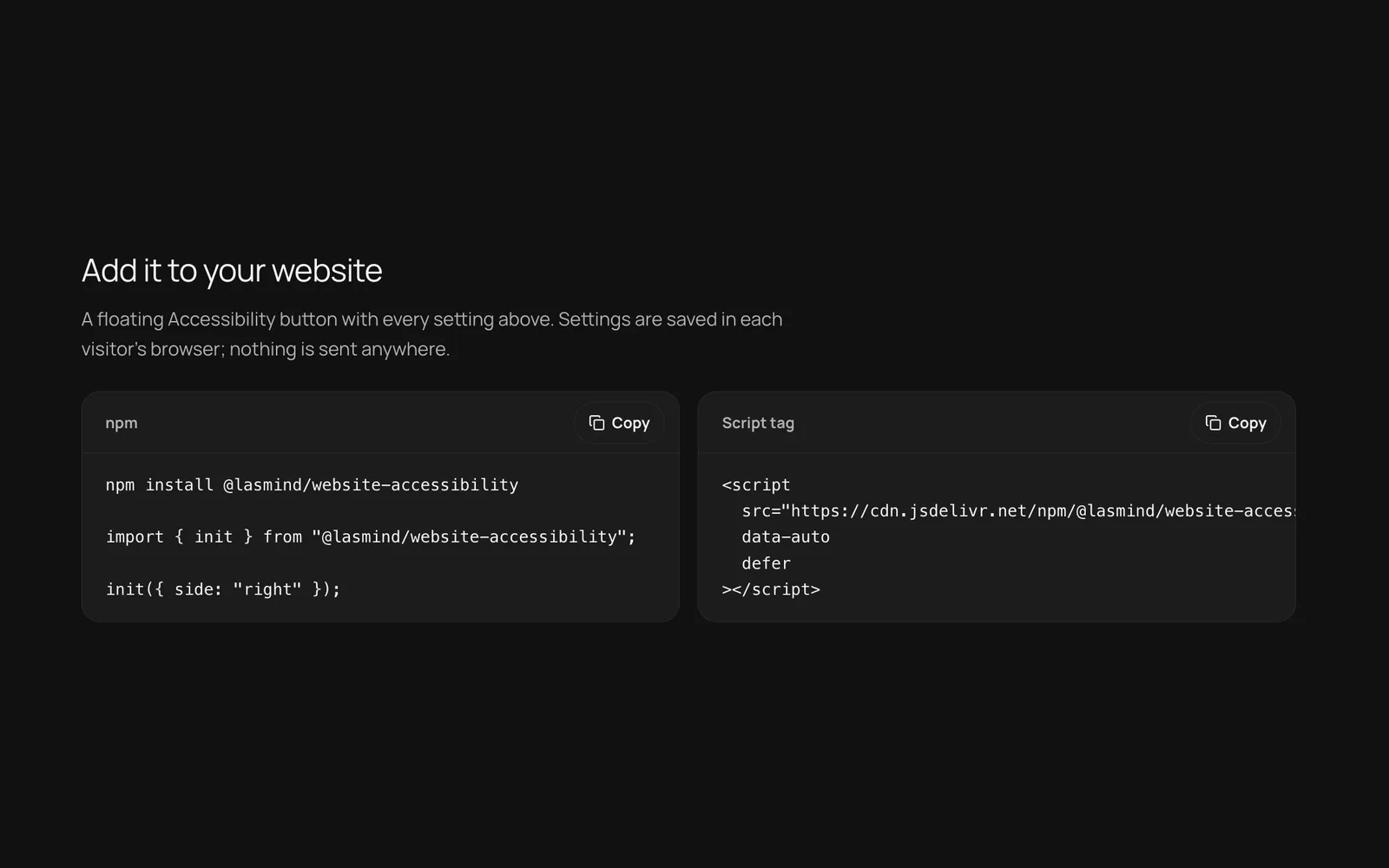
Add it to your website
A floating Accessibility button with every setting above. Settings are saved in each visitor's browser; nothing is sent anywhere.
npm install @lasmind/website-accessibility

import { init } from "@lasmind/website-accessibility";

init({ side: "right" });<script
src="https://cdn.jsdelivr.net/npm/@lasmind/website-accessibility@0/dist/website-accessibility.min.js"
data-auto
defer
></script>Built to WCAG 2.2 AA
The toolkit works with a keyboard and screen readers, keeps focus visible and respects your system's reduced motion setting. It helps visitors adjust pages, but it does not make an inaccessible website compliant on its own. The eye test is a screening, not a medical diagnosis; for a diagnosis, see an eye care professional.
Accessibility basics (W3C guide, opens in a new tab)How to use
Step-by-step guide, in 6 steps.
The Accessibility Toolkit makes every LasMind page easier to see, read and hear. Correct colours for colour blindness, enlarge text, raise contrast, calm motion and hear any text read aloud with tech words explained in simple language. A free 3-minute colour vision eye test can set it all up for you, and settings stay on your device.
Step 01
Turn on Accessibility mode
Switch on Accessibility mode in the panel above, or from the Accessibility button at the top of any LasMind page. The settings below only apply while the mode is on.
Tip: Both places share one set of settings, so a change in one shows up in the other.
Step 02
Pick your vision type
Choose the option that matches how colours look to you. If red and green look alike, try Red or Green Colour Blindness, then move the correction strength slider until colours are easiest to tell apart.
Tip: Not sure which one fits? Take the eye test in step 5 first.
Step 03
Adjust text and display
Use A- and A+ to change the text size, and A to go back to normal. Then switch on high contrast, underlined links, text spacing, reduced motion or focus indicators as you need. Every change applies to the whole site straight away.
Step 04
Turn on Read aloud
Switch on Read aloud on click, choose the meaning language, then click any text on the page to hear it. Technical words are explained in simple language.
Tip: Turn on the Spoken guide to hear short instructions while you use the settings.
Step 05
Take the free eye test
Choose Take the eye test for a 3-minute colour vision screening. It checks each eye and suggests settings that you can apply in one step. You can retake it or delete the result at any time.
Tip: It is a screening, not a medical diagnosis. For a diagnosis, see an eye care professional.
Step 06
Add it to your own website
Install the free @lasmind/website-accessibility npm package, or paste the script tag shown below the tool. Your visitors get the same menu, with no framework needed.
FAQ
Questions about Accessibility Toolkit
Still stuck? Contact us and we'll help.
Is the Accessibility Toolkit free?
Yes. It is free on every LasMind page, and the npm widget is free to add to your own site. There is no account or sign-in.
Is the colour vision eye test a medical diagnosis?
No. It is a screening for red-green colour differences. Screens are not calibrated like clinical test books, so for a diagnosis please see an eye care professional.
Where are my settings stored?
In your browser's local storage on this device. Your settings and eye test result are never uploaded to LasMind.
Does it work on other websites?
The LasMind Vision browser extension will bring the same settings to every website, and it syncs with this page. It is coming soon to the Chrome Web Store. Until then, the toolkit works on all LasMind pages.
Which languages does read aloud support?
Read aloud uses your browser's built-in voices. Tech words can be explained in simple English, with Hindi and Tamil in beta.
Does it meet WCAG?
The toolkit is built to WCAG 2.2 Level AA: keyboard friendly, screen reader labelled, with visible focus and large touch targets. It helps visitors, but it does not make an inaccessible website compliant on its own.
How do I add this menu to my own website?
Install @lasmind/website-accessibility from npm and call init(), or add the script tag shown on this page. It works with any framework or none.
Release notes
What's new in Accessibility Toolkit.
We update tools often, so each month's changes are grouped together.
October 2026LatestFirst release
The LasMind accessibility menu becomes a full tool: live settings on this page, a colour vision eye test, read aloud with simple-language meanings, and an npm widget for your own site.
Features
- Colour vision correction for red, green and blue colour blindness, plus greyscale, with adjustable strength
- Text size from 90% to 150% with A- and A+
- High contrast, underlined links, text spacing, reduced motion and stronger focus indicators
- Read aloud on click, with tech words explained in simple English, Hindi (beta) or Tamil (beta)
- Spoken guide that reads short instructions as you change settings
- Free 3-minute colour vision eye test that suggests and applies your settings
- Settings sync with the LasMind Vision browser extension on LasMind pages
- @lasmind/website-accessibility npm package to add the same menu to any website
Privacy and security
- Settings and eye test results stay in your browser; nothing is uploaded
- No account, analytics or tracking in the toolkit
Help us improve Accessibility Toolkit - LasMind Vision
Your honest feedback shapes what we fix next. We aim to respond and resolve within 15 days, and ship fixes and updates regularly - see the release notes.
- SEOSEO Pro MaxBrowser extension for on-page SEO checks. Download one zip for Windows, macOS, and Linux - works in Chrome, Firefox, Edge, and more.v2026.09 · Updated 29 Sept 2026Open tool
- WritingText EditorRich-text drafting with headings, lists, tables, links, images, and HTML source - preview locally, nothing uploaded.v2026.09 · Updated 27 Sept 2026Open tool