

Finance and tax
Invoice Generation
Create free GST invoices online with live preview, saved company profiles and instant PDF download. No sign-up needed – a free tool built by LasMind.
- Version
- 2026.08
- Updated
- Runs as
- In your browser
- Price
- Free
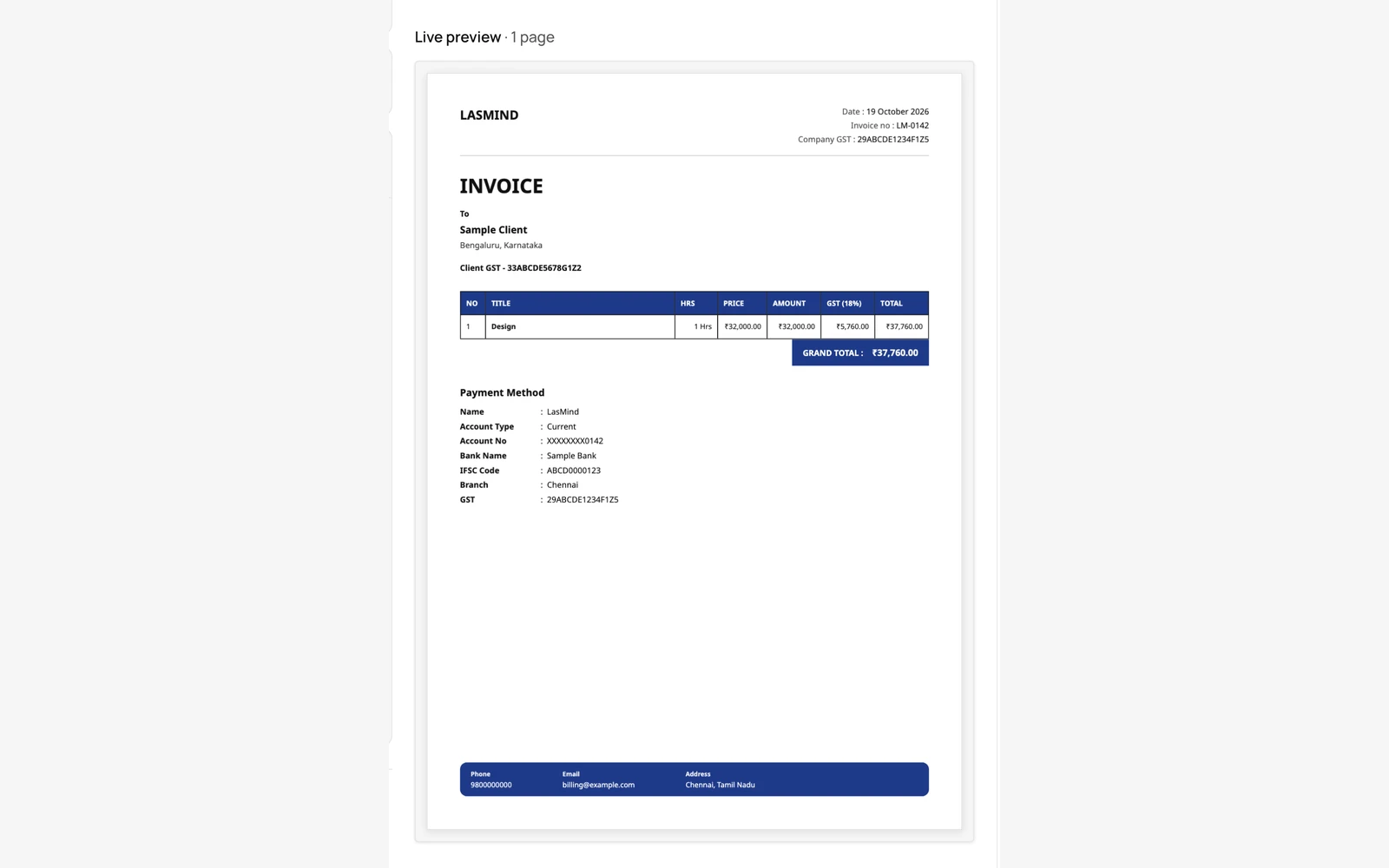
Invoice Generation preview: invoice #LM-0142 lists line items and GST 18% for a total of ₹48,380.
How to use
Step-by-step guide, in 5 steps.
Invoice Generation helps you create branded GST invoices in four short steps with a live preview, then download a PDF. Save your company and payment details as reusable profiles. Drafts and profiles stay in your browser only.
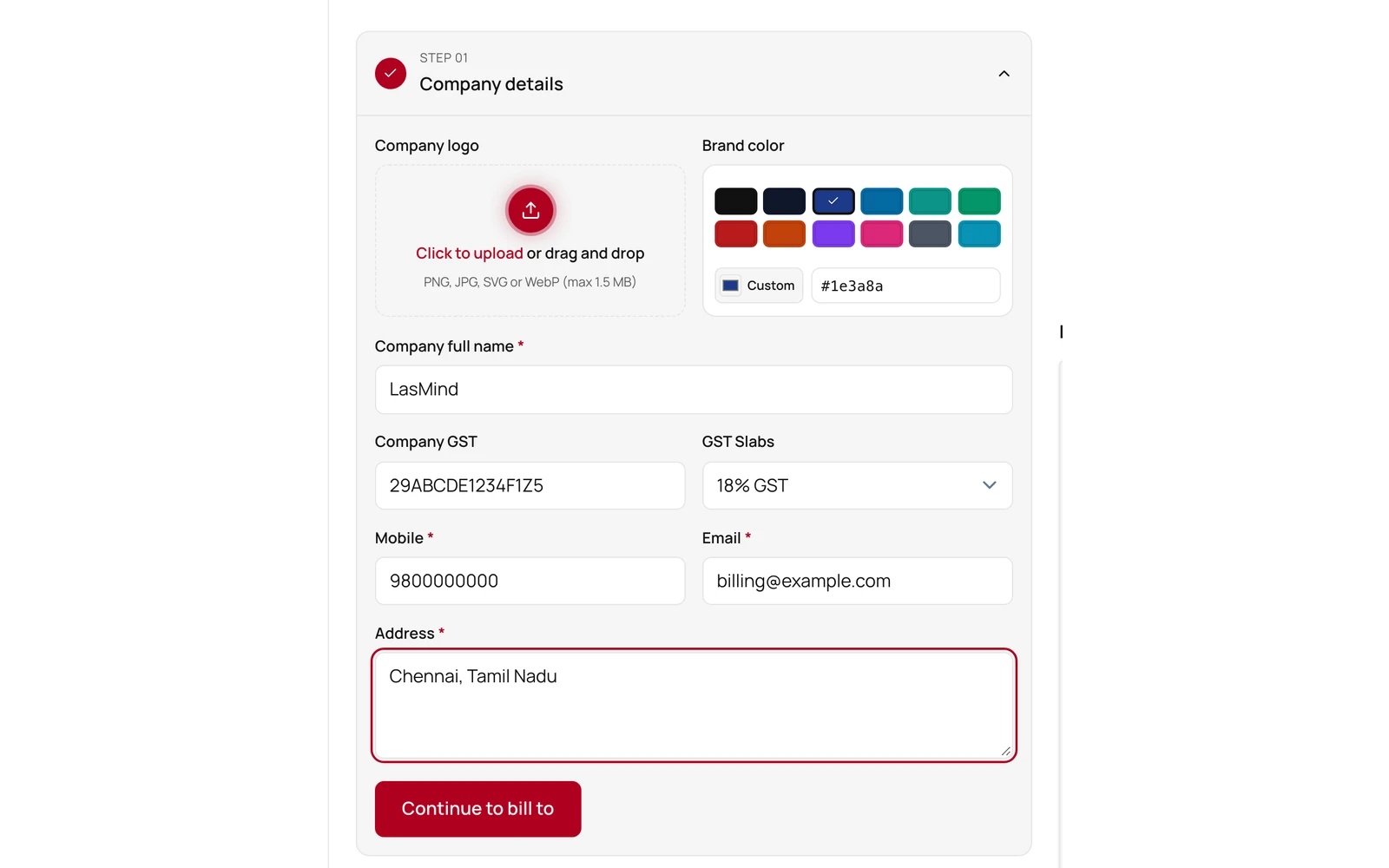
Step 01
Add your company details
Add your logo, brand colour, company name, GSTIN, GST slab and contact details. If you have used the tool before, load a saved profile instead.
Tip: Your brand colour is used for the table header and the total on the invoice.
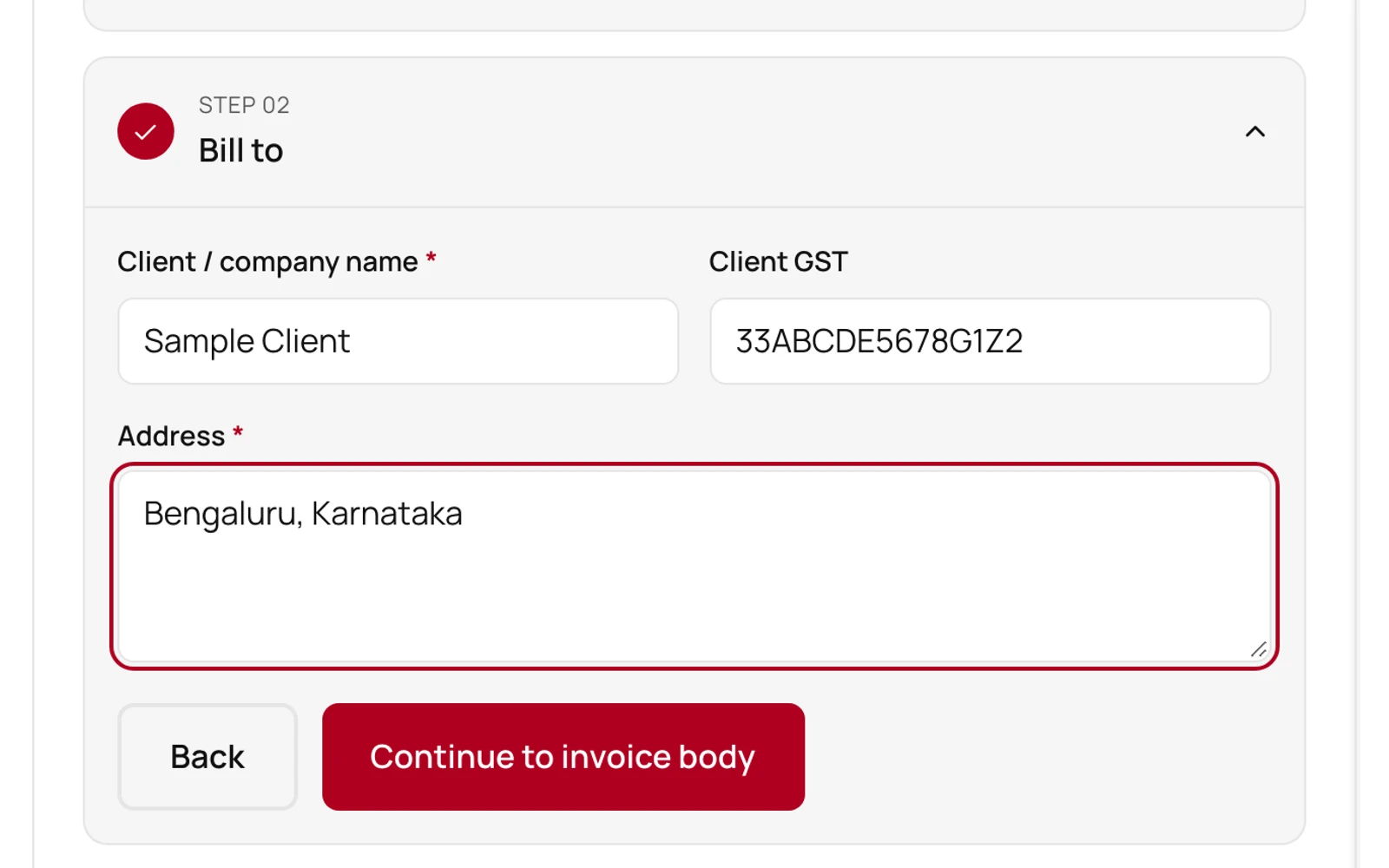
Step 02
Fill in Bill to
Enter the client name, GSTIN and address exactly as they should appear on the invoice.
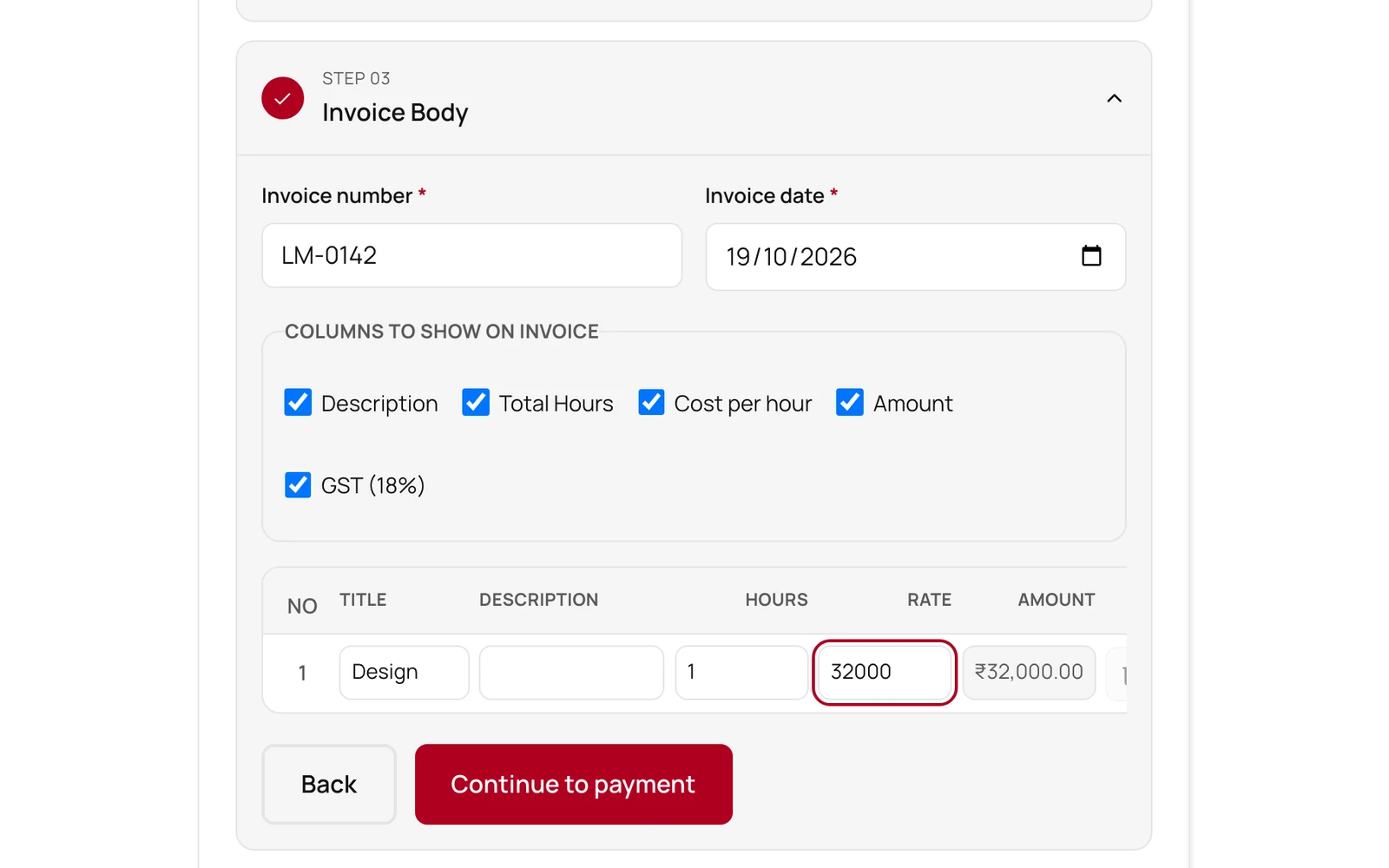
Step 03
Build the invoice body
Set the invoice number and date, choose which columns to show, then add your line items. Totals and GST are worked out as you type.
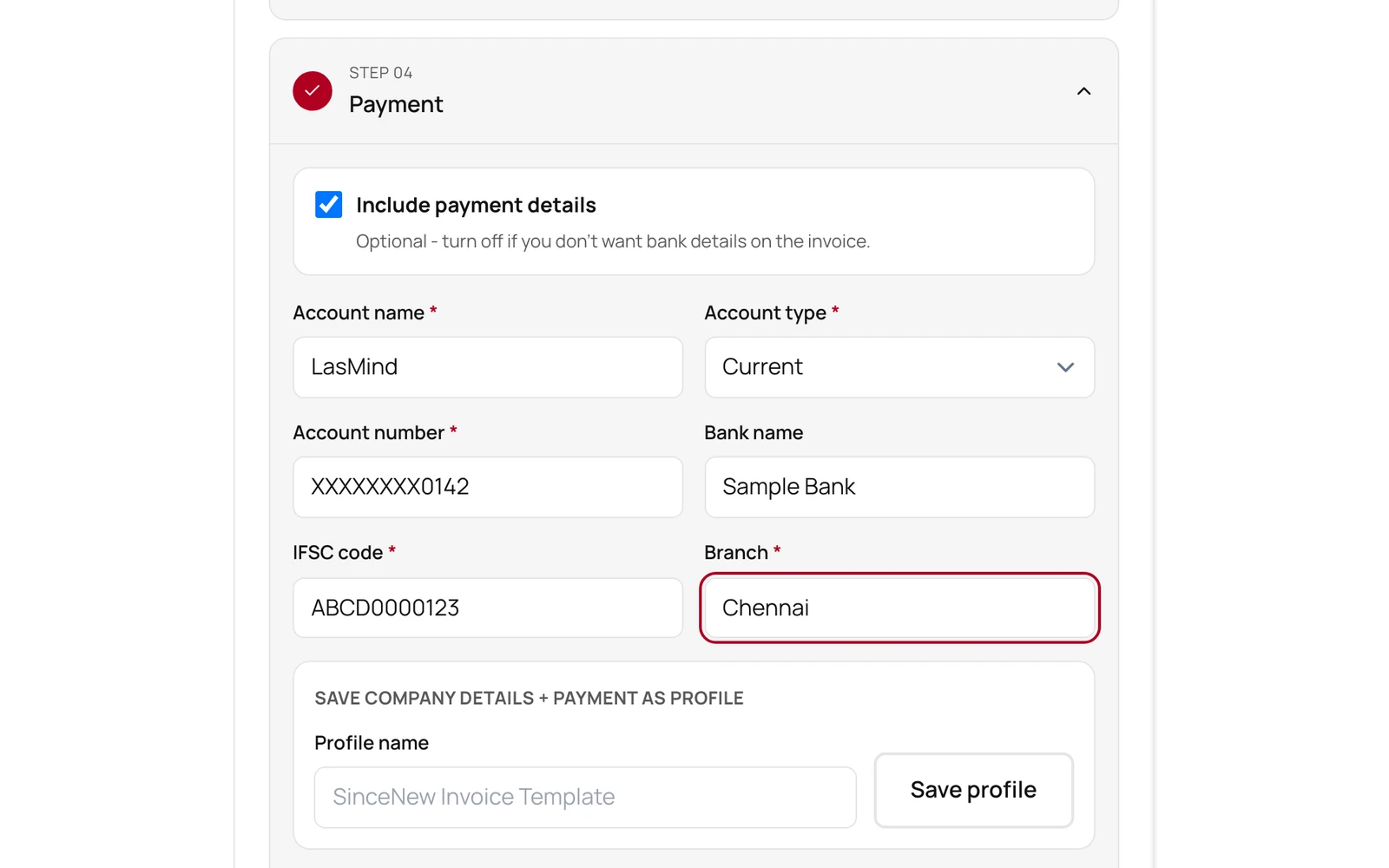
Step 04
Add payment details
Add your bank details so the client knows how to pay, or turn them off. You can save everything as a profile to reuse next time.
Tip: Profiles are saved in this browser only.
Step 05
Preview and download
Check the Live preview, then choose Download PDF. The PDF is created in your browser, so your business details stay on your device.
FAQ
Questions about Invoice Generation
Still stuck? Contact us and we'll help.
Where are my invoices and profiles stored?
In your browser's local storage on this device. Nothing is uploaded. Clearing your browser data removes drafts and saved profiles.
How is the brand color chosen?
When you add a logo, the tool picks its main color for headings and accents. You can change it with the swatches or a hex code.
Which GST rates are supported?
0%, 5%, 18%, and 40%. The GST slab can be chosen once you enter a valid GSTIN.
Can I bill by the hour?
Yes. Turn on the Total Hours and Cost per hour columns and the amount is calculated for each line.
Why is Download PDF disabled?
Complete all four steps first. The button unlocks once every required field is filled in.
What logo formats can I use?
PNG, JPG, WebP, GIF, SVG, BMP, or AVIF, under 1.5 MB.
Release notes
What's new in Invoice Generation.
We update tools often, so each month's changes are grouped together.
August 2026LatestLaunch, brand colors, and a better PDF
First release of Invoice Generation, followed by invoices that match your brand and a cleaner four-step form.
Features
- GST invoice form with a live preview
- Line items with GST calculation in INR
- PDF download
- Draft saved in your browser - nothing uploaded
New
- Brand color picked automatically from your logo
- Brand color and fonts applied in the PDF
Improved
- Redesigned four-step form with clearer checks
- Saved profiles now keep company and payment details together
Help us improve Invoice Generation
Your honest feedback shapes what we fix next. We aim to respond and resolve within 15 days, and ship fixes and updates regularly - see the release notes.
Support our free tools
If these tools helped you, help us keep them free
Small, optional bank transfers fund fixes, polish and new free tools that run privately in your browser. Share your payment details after you transfer.
View payment methodsBuilt by LasMind
Need something custom built?
Custom tools
Have a business problem a free tool could solve?
Tell us the workflow or idea in plain language-no polished brief needed. We'll suggest a practical next step: build a tool, automate the work, or advise on what already exists.
Submit your tool request