

Finance and tax
GST Monthly Pack
Upload Sales or Purchase invoice PDFs, extract fields into an editable register, then download a date-sorted merged PDF, summary PDF, and CSV - private in your browser.
- Version
- 2026.08
- Updated
- Runs as
- In your browser
- Price
- Free
GST Monthly preview: three PDFs merge into one monthly file with a sales register, CSV and summary.
Monthly filing use case
Built for submitting Sales and Purchase packs to your auditor each month. Collection and Google Drive upload stay manual; this tool replaces the spreadsheet typing and PDF merge steps.
- Collect invoices from Gmail, WHMCS, clients, vendors, and freelancers (manual collection stays as-is).
- Organize locally by Sales or Purchase for the month; Drive upload remains manual.
- Upload all PDFs here in one shot - extract date, invoice number, party name, amount incl. GST, and GST-only.
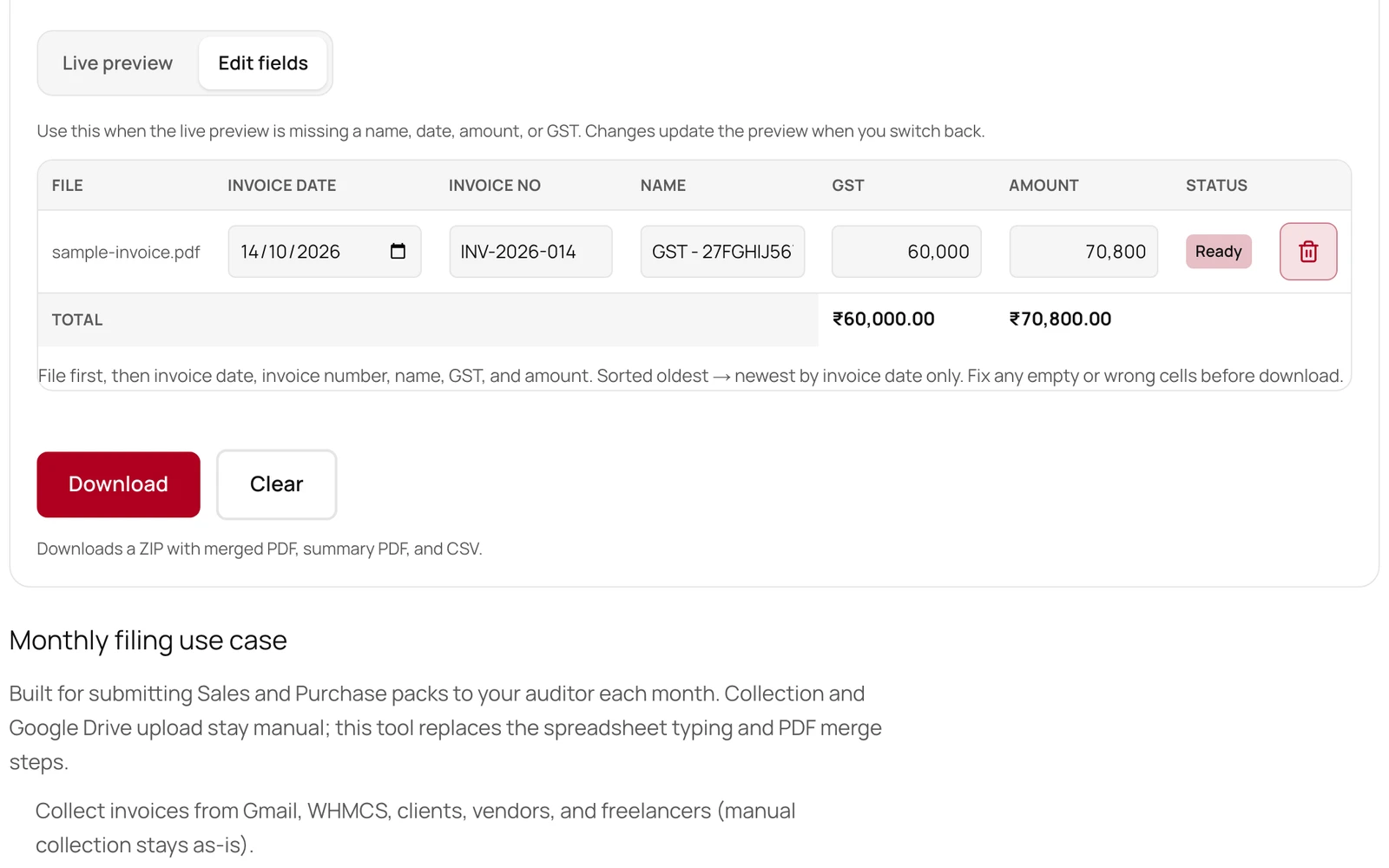
- Review the live register preview, edit fields only if something is missing, then download: date-sorted merged PDF, summary PDF, and CSV.
Typical time for ~12 invoices before this tool: ~60 minutes (collect 30m, organize 10m, spreadsheet 20m). After upload, review and download here in the browser.
Full requirement notes live in the tool source: src/tools/gst-monthly/REQUIREMENTS.md.
How to use
Step-by-step guide, in 5 steps.
GST Monthly Pack reads your sales or purchase invoice PDFs, pulls out the key fields into an editable register, and builds a monthly pack for your auditor: one date-sorted merged PDF, a summary PDF, and a CSV. Your invoices never leave your browser.
Step 01
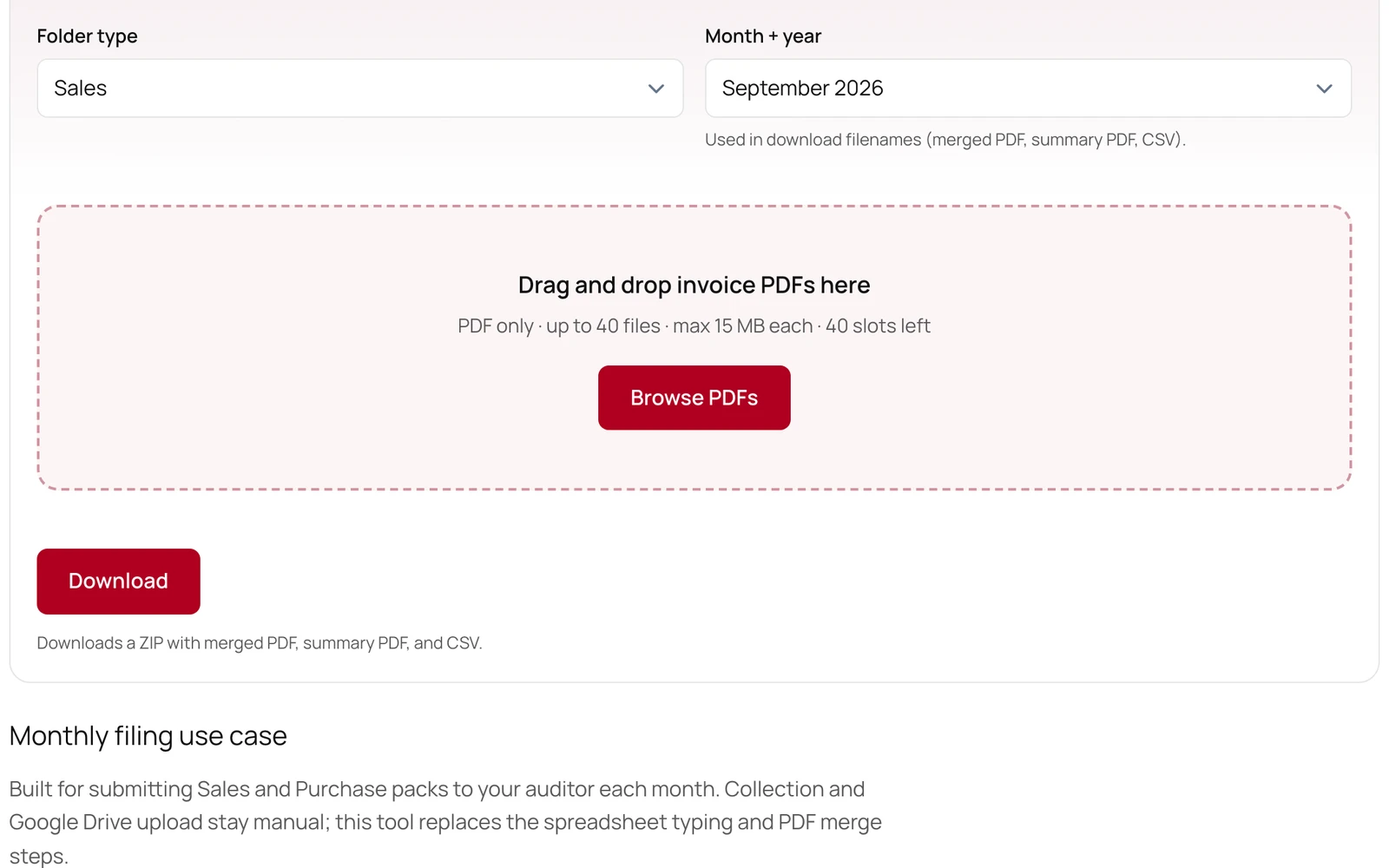
Choose Sales or Purchase and the month
Pick the folder type, Sales or Purchase, then the month and year the invoices belong to. These set the names of the files you download.
Step 02
Add your invoice PDFs
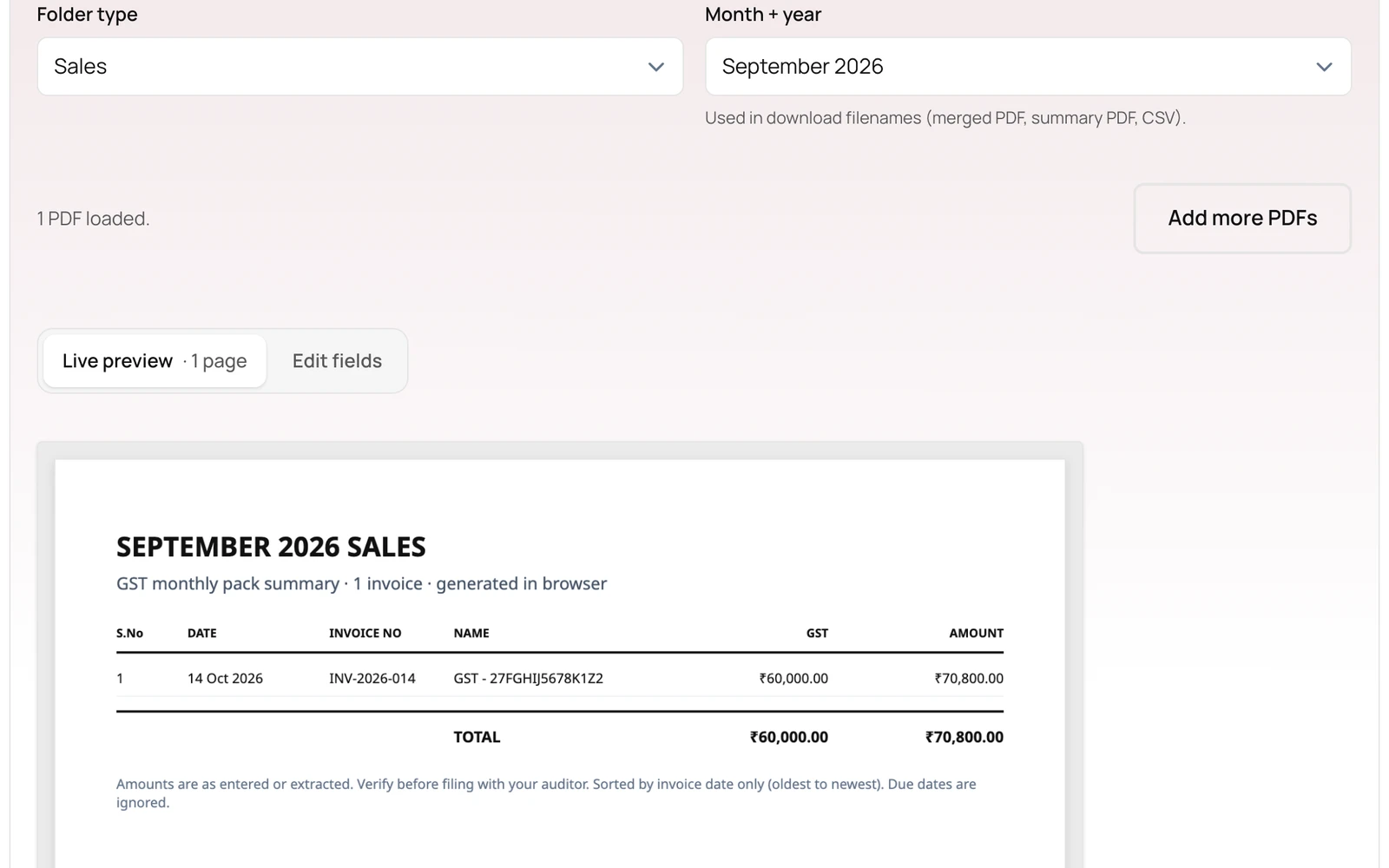
Drop your invoice PDFs onto the upload area, or choose Browse PDFs. The date, invoice number, party name, amount and GST are read from each file automatically.
Tip: Text-based PDFs work best. Scanned, image-only PDFs are not read, so fill in their fields by hand.
Step 03
Check each invoice
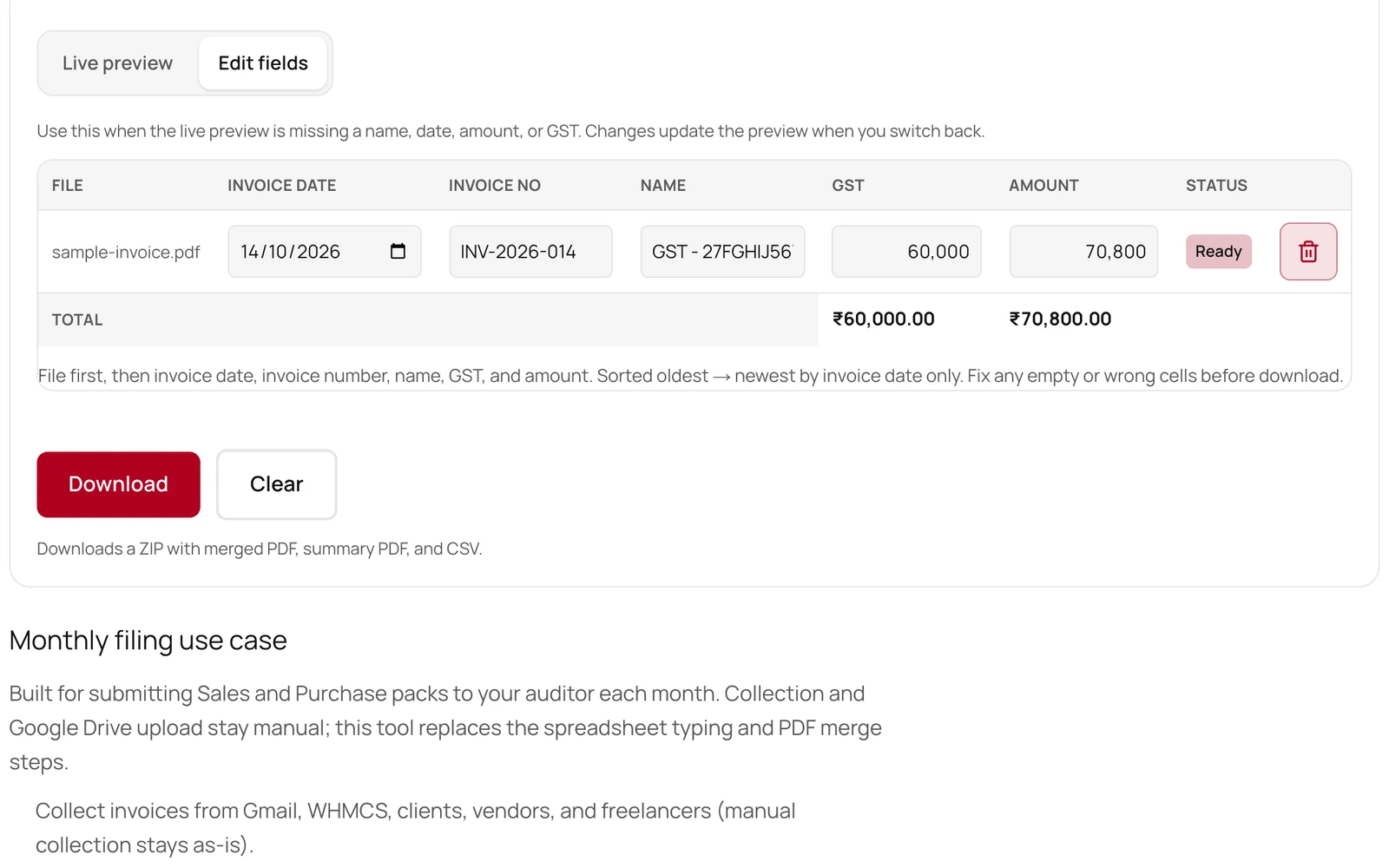
Open Edit fields to check and correct the date, invoice number, party name, amount and GST for each invoice. Rows that need review are flagged so you can fix them first.
Step 04
Preview the summary
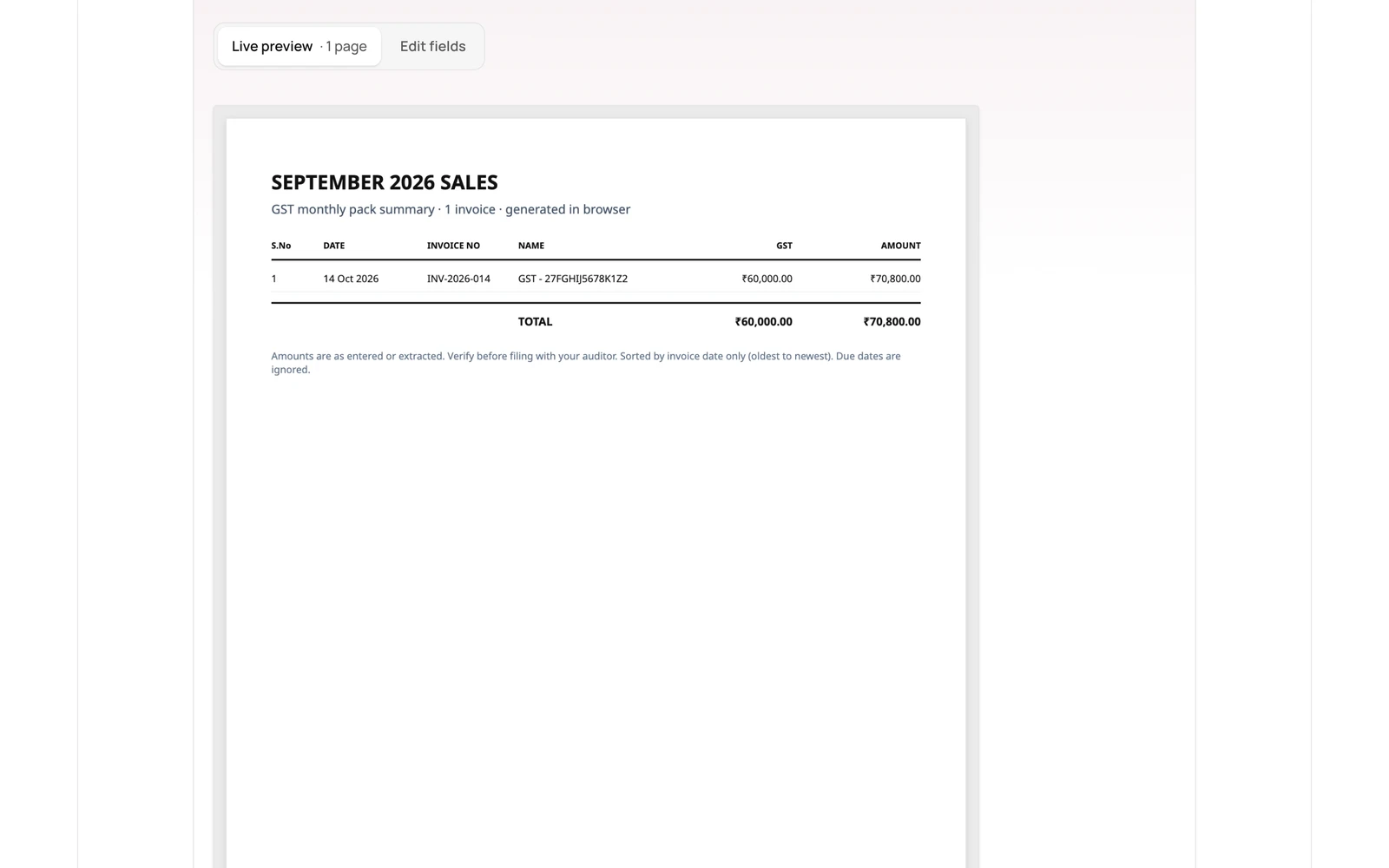
Use Live preview to see the summary pages exactly as they will appear in the pack, with totals for the month.
Step 05
Download the pack
Choose Download to get one ZIP with the merged invoice PDF, the summary PDF and a CSV register, ready to send to your auditor.
Tip: Everything is built in your browser. Your invoices are never uploaded.
FAQ
Questions about GST Monthly Pack
Still stuck? Contact us and we'll help.
Are my invoices uploaded?
No. PDFs are read and merged in your browser and never sent to a server.
Why could a PDF not be read?
Extraction needs text-based PDFs, like the ones exported from billing software. Scanned or photographed invoices have no readable text, so they are skipped.
Why are some rows marked Needs review?
The tool flags rows when it is not confident about a field, or when the invoice number, party name, date, or amount is missing. Check and correct them in Edit fields before downloading.
How many invoices can I add?
Up to 40 PDFs per pack, each up to 15 MB.
What is in the download?
A ZIP named after the folder type and month, with the invoices merged in date order, a summary PDF register, and a CSV you can open in Excel or Google Sheets.
Release notes
What's new in GST Monthly Pack.
We update tools often, so each month's changes are grouped together.
August 2026LatestLaunch
First release of the GST Monthly Pack.
Features
- Extract invoice fields from sales or purchase PDFs
- Editable register with Needs review flags
- Date-sorted merged PDF, summary PDF, and CSV in one ZIP
- Runs in your browser - invoices are never uploaded
Help us improve GST Monthly Pack
Your honest feedback shapes what we fix next. We aim to respond and resolve within 15 days, and ship fixes and updates regularly - see the release notes.
Support our free tools
If these tools helped you, help us keep them free
Small, optional bank transfers fund fixes, polish and new free tools that run privately in your browser. Share your payment details after you transfer.
View payment methodsBuilt by LasMind
Need something custom built?
Custom tools
Have a business problem a free tool could solve?
Tell us the workflow or idea in plain language-no polished brief needed. We'll suggest a practical next step: build a tool, automate the work, or advise on what already exists.
Submit your tool request